Step 1: Organization Details
Step 1: Organization Details
The first step in onboarding is providing information about your organization.
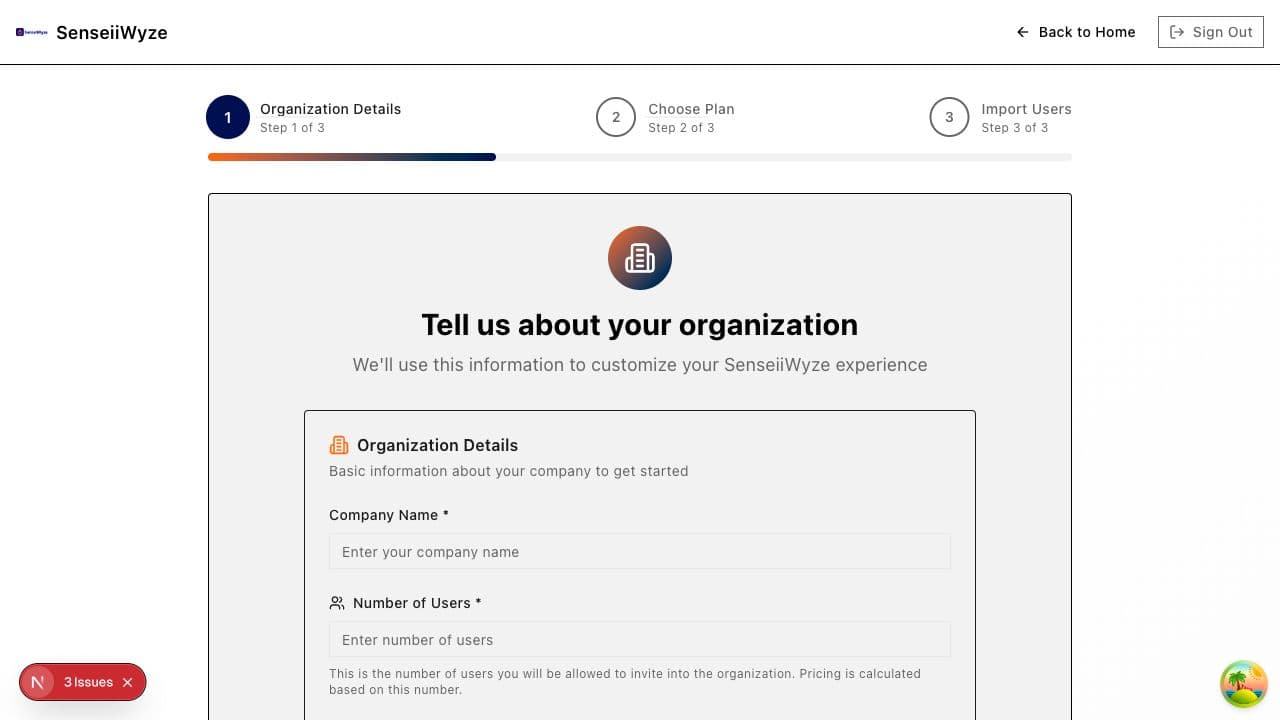
What You'll Enter
Organization Name
Enter your company or team name. This will be displayed:
- In the navigation bar
- On team member profiles
- In reports and exports
Tips:
- Use your official company name
- Keep it recognizable for team members
- You can change this later in settings
Organization Size
Select the range that best matches your organization:
| Size | Description |
|---|---|
| 1-10 | Small teams, startups |
| 11-50 | Growing companies |
| 51-200 | Mid-size organizations |
| 201-500 | Large companies |
| 500+ | Enterprise organizations |
Why we ask: This helps us customize your experience and provide appropriate plan recommendations.
Creating vs. Joining
At this step, you have two options:
Create New Organization:
- You're setting up SenseiiWyze for the first time
- You'll become the Admin-Executive
- You'll set up billing and invite team members
Join Existing Organization:
- Your company already uses SenseiiWyze
- You have an invite code from your administrator
- You'll join as a team member with assigned permissions
What Happens Next
After completing Step 1:
- Your organization is created in the system
- You're assigned as the Admin-Executive
- You'll move to Step 2: Payment & Plan Selection
Common Questions
Can I change the organization name later? Yes, go to Settings > Organization to update your organization name.
What if I'm not sure about the size? Choose the closest match. This is used for recommendations and can be updated anytime.
Can multiple people create the same organization? No, each organization is unique. If someone already created an organization for your company, ask them for an invite code instead.
Need Help?
If you're stuck on Step 1:
- Make sure all required fields are completed
- Check that your organization name doesn't contain special characters
- Contact support if the issue persists